How to update Website Pro+ banner photo
Branding
This photo will make your website stand out. You can log in and update this banner photo anytime to give your Website Pro+ design a fresh look. Dive in and see how easy it is to keep your site looking new and engaging.
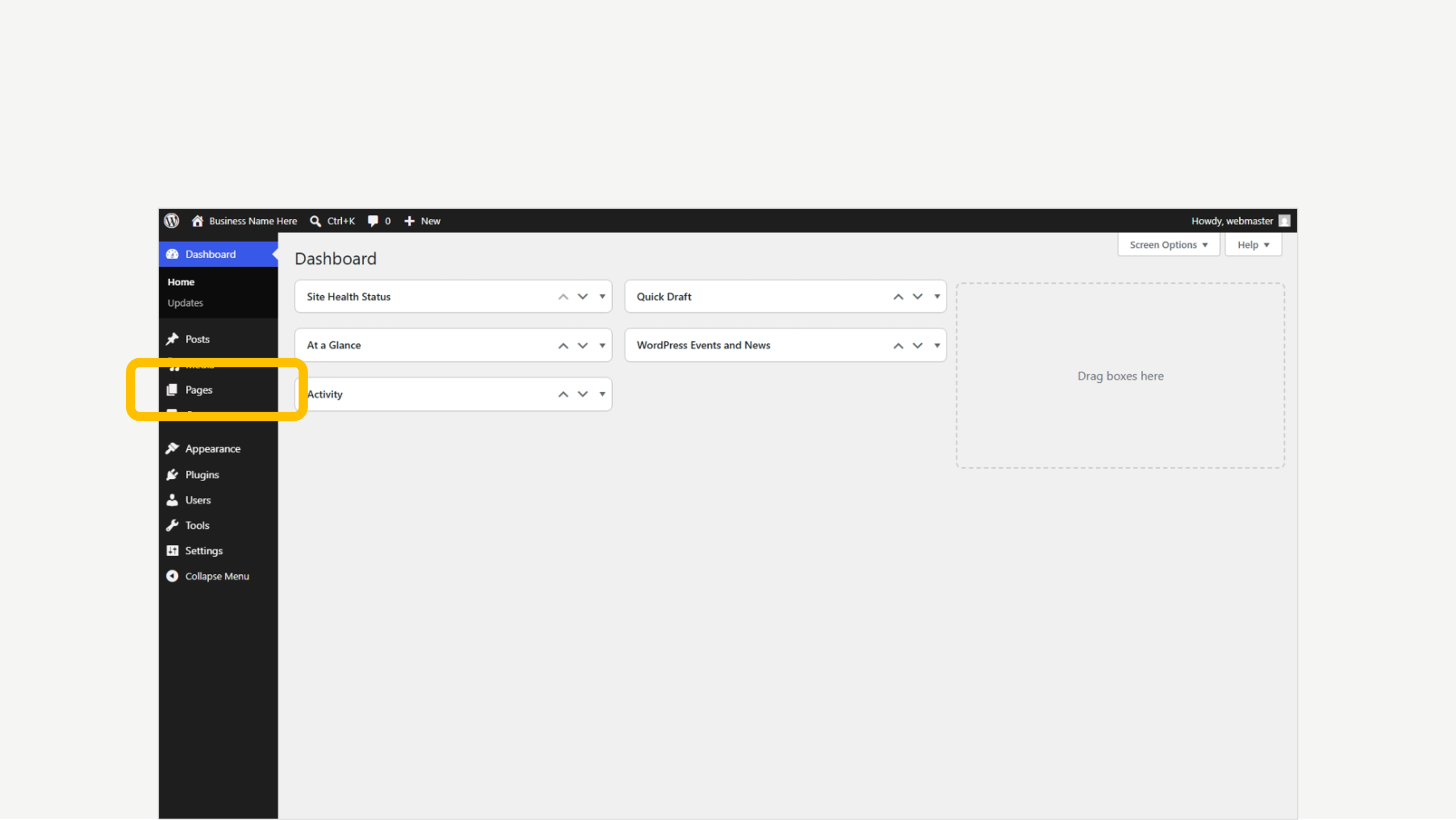
1. Click on Pages
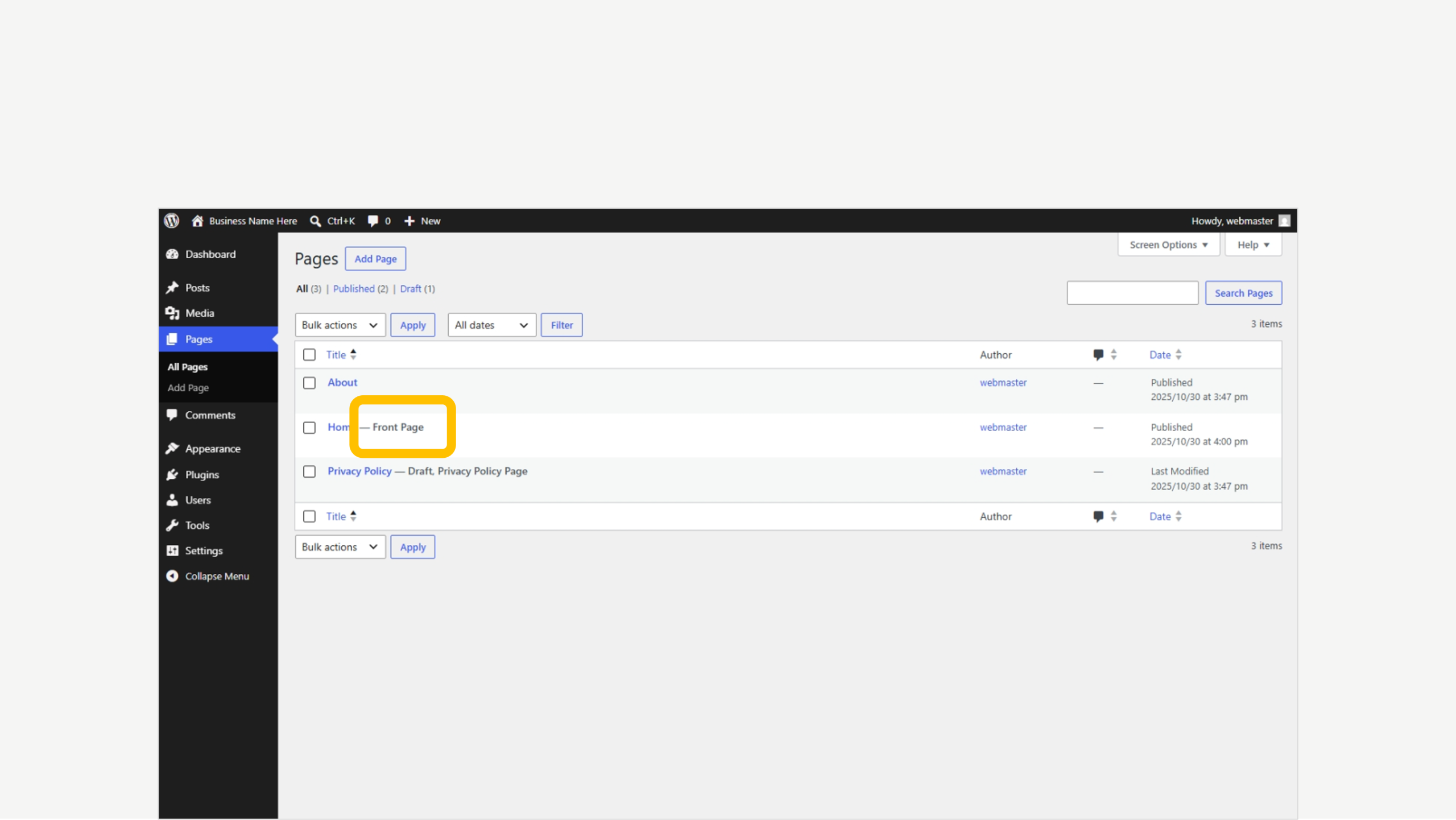
2. Find the ‘Front Page’ tab
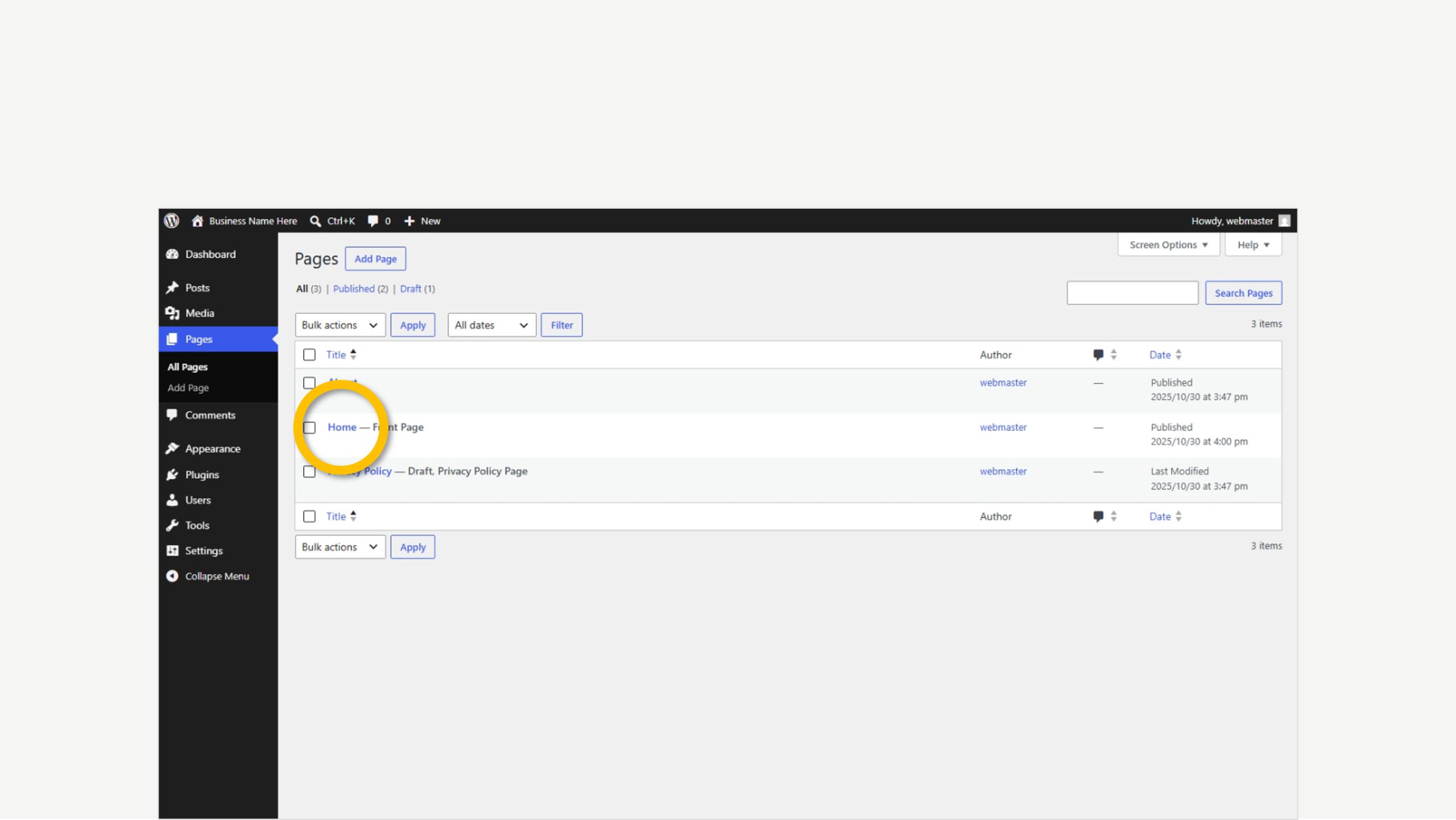
3. Click to Edit
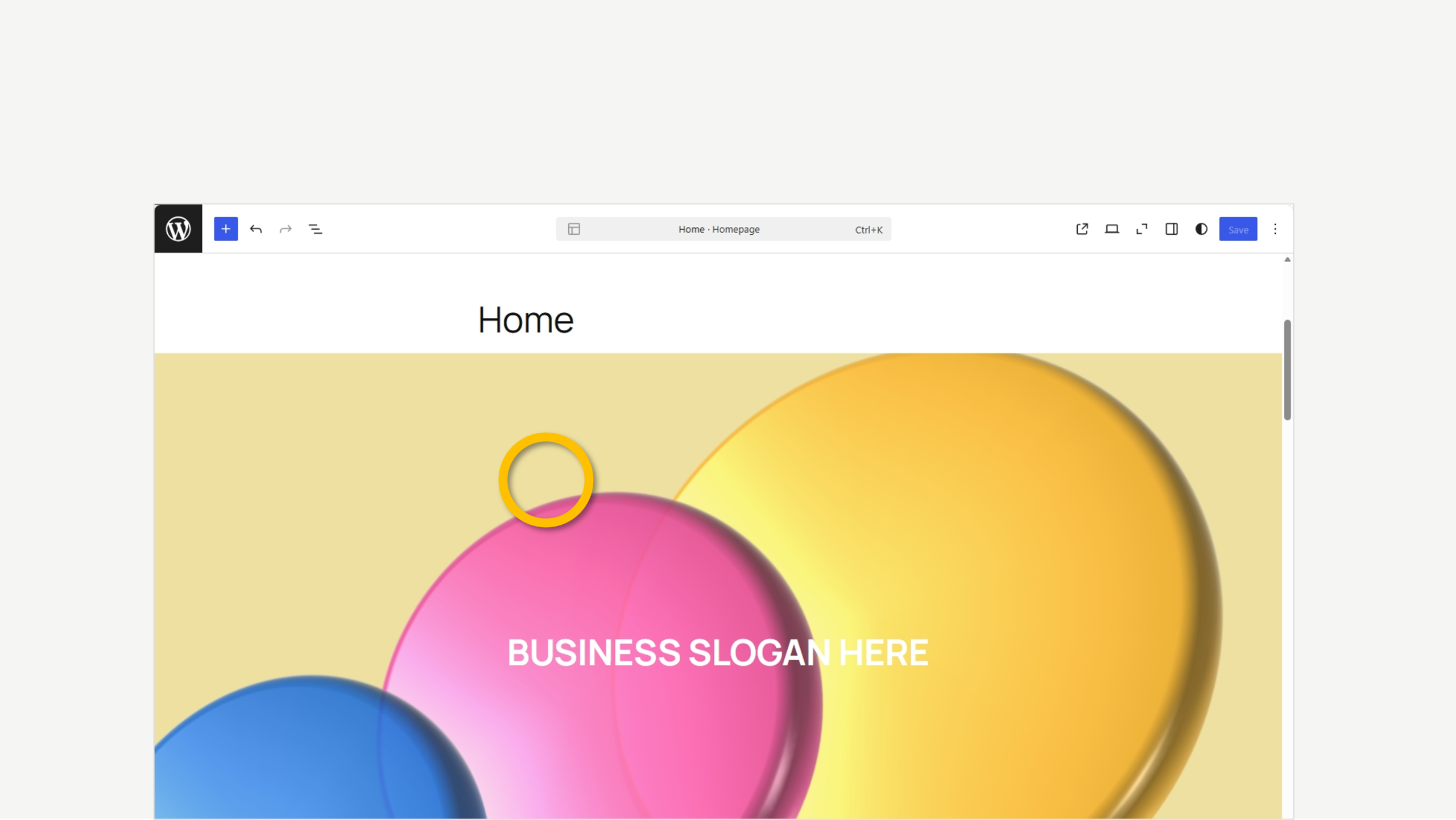
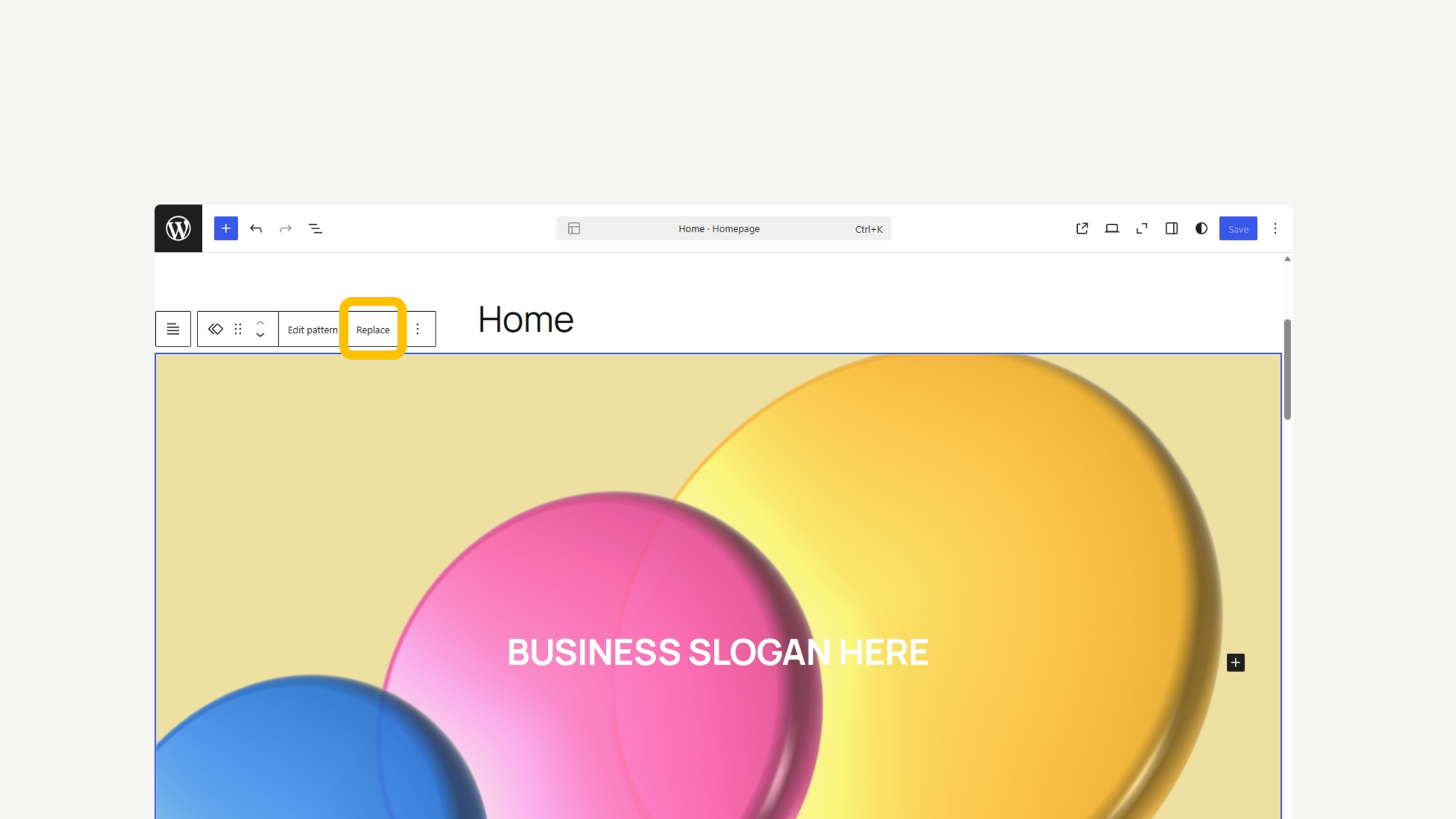
4. Click on the photo block
5. Now Replace
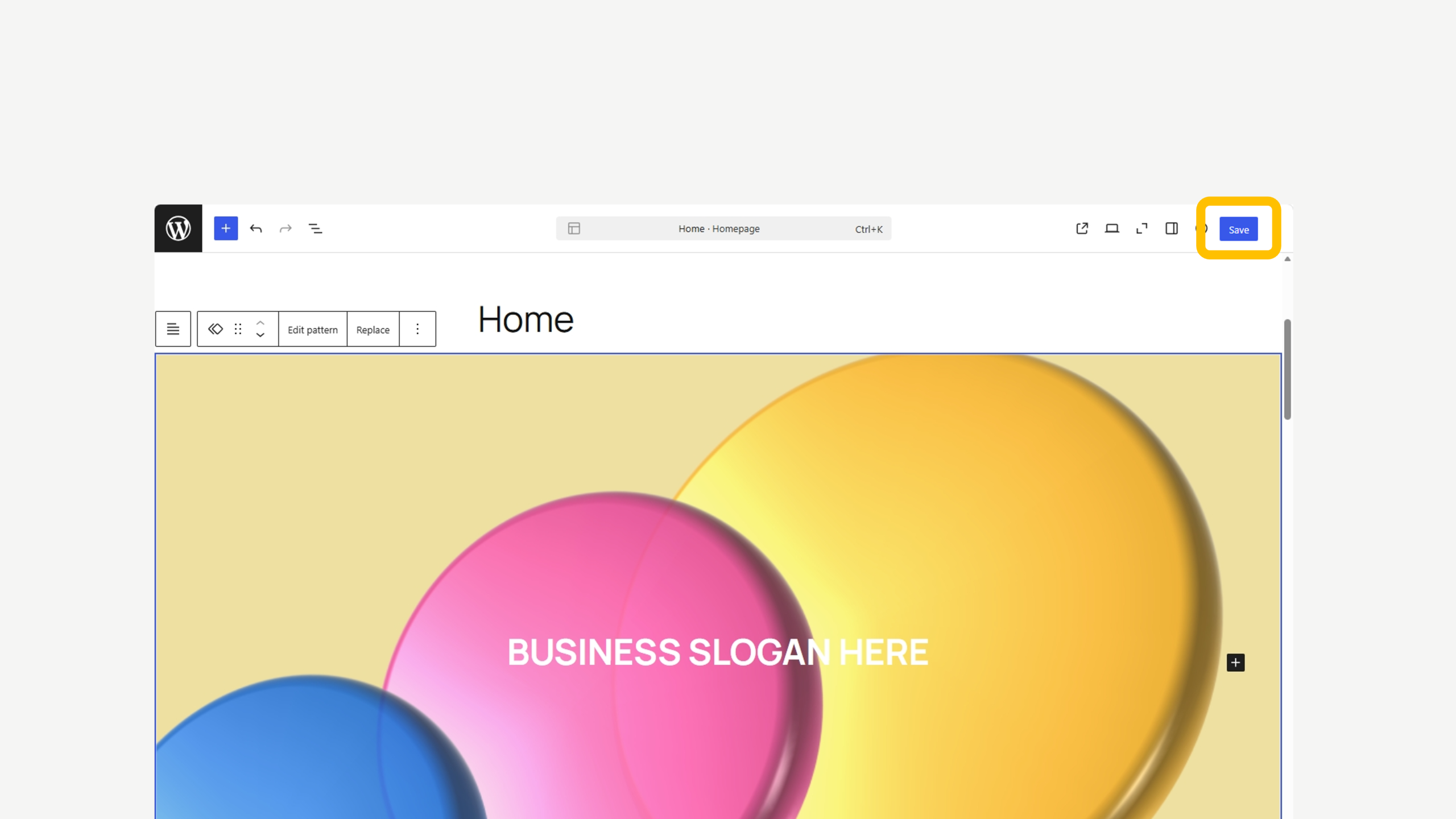
6. Save when ready
We’re here to help
Get support for all Fectiv products or connect with a Fectiv specialist.
How Website Setup WorksHow Email Setup WorksHow Ecommerce Setup WorksSite Update GuidesAfter Setup ServicesAccount Support